The quick version
- Long distance sex machine control works through the HiSmith app: you share a control link and your partner drives the machine from their phone.
- You set a maximum speed the other person cannot exceed, and you can take control back at any time by changing the speed yourself.
- Pair by Bluetooth first. The app remembers the machine, so it reconnects at the next login.
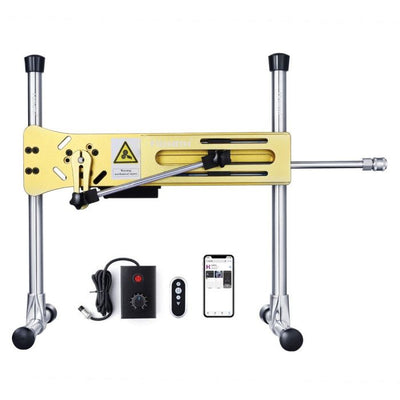
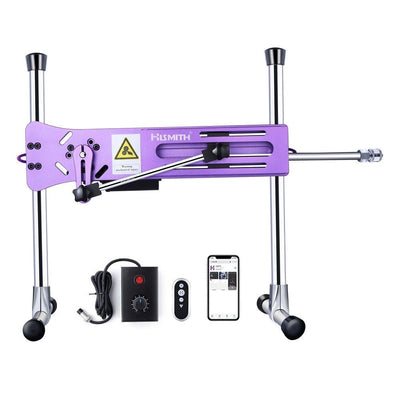
- The Mini, Tabletop 2.0 Pro, Cannon, Capsule and Premium (Remote and App) all take app control.
- Only one person controls the machine at a time, which keeps it simple.
- Free express shipping over $109, plain packaging, and Afterpay or Zip at checkout.
Long distance sex machine play sounds like a stunt until you see how little it takes: a machine at one end, a phone at the other, and a link sent through WhatsApp. The part worth planning is not the technology. It is who holds the speed limit, and what you both agree before the link goes out.
How Does Long Distance Sex Machine Control Work?
The machine owner pairs the HiSmith app to the machine by Bluetooth, then shares a control link through Facebook Messenger, WhatsApp or the in-app chat. Whoever opens the link can operate the machine from anywhere with an internet connection, and sees the same screen you do.
Three details make it safe enough to use. Only one person can connect at a time. You choose a maximum speed before you hand over, and the controller cannot go past it. And you can retake control at any moment just by adjusting the speed on your own phone.
Which HiSmith Machines Suit Long Distance Play?
For a first long distance setup, the Mini is the tidy pick: compact, app-first, and it comes with a 7.1 inch silicone dildo in the box. The Mini review covers it in detail. If the machine will live in a share house, read the quiet machines guide before you choose.
Ready to compare them? The sex machines collection has the whole lineup.
How Do You Pair the App With the Machine?
Pairing is a four-step job on the owner's phone, and you only do it once.
- Install the HiSmith app on Android or iOS and log in.
- Switch Bluetooth on, then tap the Bluetooth icon at the top right of the app.
- Select your machine from the list and tap Connection.
- Leave it there. The app remembers the machine and reconnects when you next log in.
Before you send a link to anyone, run the machine solo for a few minutes. Swiping up or down changes speed, and one finger moves it in small steps. Rotating the phone screen stops the machine, and rotating it back restores the previous speed.
How Do You Hand Control to a Partner Safely?
Set the limits first, then send the link. A few habits make long distance play go smoothly.
- Set the maximum speed low for the first session, because the controller cannot see how it feels on your end.
- Agree a stop word or a text signal before you start, since the machine cannot hear you and the other person cannot see you.
- Send the link only to the person you are playing with, because anyone who opens it can connect.
- Keep your own phone in reach, so you can retake control by changing the speed.
- Do not hold the phone loosely during a session, because shaking it triggers a power boost.
Custom patterns are worth a try once you are comfortable. In the app you set a start speed, an end speed and a total time, then preview, name and save it. Try a new pattern on the machine alone before you share it.
Can More Than Two People Play?
The app has online rooms for two to five users, either private by invite and accept, or public. The room manager can control every participant's machine. Stay with private rooms and people you know, because a manager controls the machine on the other end.
Safety Before You Press Go
A machine applies the same force at minute twenty as at minute one, and a controller on a screen cannot feel when you tense up. These are limits, not suggestions.
- Set depth with the machine switched off, because a moving rod is no place for fingers.
- Start at a short stroke and a low speed cap, because the other person cannot judge how it feels.
- Use water-based lube with silicone attachments, because silicone lube degrades silicone.
- Keep every machine away from water, because none of these are waterproof.
- Stop on sharp pain and never use numbing products, because pain is the signal that prevents injury.
- Give the Capsule a rest every 30 minutes, so the motor can cool.
The first-sessions guide covers settings and the order to try them in.
Frequently Asked Questions
Does the HiSmith app work on iPhone and Android?
Yes, it is available from Google Play and the App Store. It runs in English, Dutch, Spanish, German, French and Chinese.
Can I control the machine myself with the app?
Yes. Solo mode lets you swipe to change speed and shows the pre-programmed patterns, and the remote that comes with each machine does the same job. The settings guide shows how to build a session.
Which machine is best for a couple living apart?
The Mini is the compact starting point, and the Tabletop 2.0 Pro adds wired, remote and app control. The couples setup guide covers positions and attachments for when you are together.
Can we pay it off with Afterpay or Zip?
Both are available at checkout. The financing guide explains how the instalments work.
What if the machine develops a fault?
Machines carry a 12-month warranty, with your Australian Consumer Law rights on top. The warranty guide explains both.
Why Buy From Pleasing Strings
Every order ships from inside Australia in plain, unbranded packaging with a discreet billing descriptor. HiSmith machines and accessories go by Australia Post 1 to 4 business days, express shipping is free over $109, and Afterpay and Zip are both at checkout. Questions before you order go to sales@pleasingstrings.com.au.
Ready When You Are


Once you know who holds the speed limit, the sex machines collection is the next step, and the Tabletop 2.0 Pro review is worth a read if you want three ways to control one machine. The HiSmith machines and accessories range keeps the attachments next to the machines.
Related guides
- Which HiSmith model should you actually buy?
- HiSmith sex machine for couples: positions, attachments and setup
- How to use a sex machine: settings, positions and first sessions
Last updated: 3 November 2026